Promotional graphic for IRIS Payments featuring a laptop displaying an online shopping website, surrounded by colorful shopping bags in green, yellow, and blue, with currency symbols and a discount tag, all on a coral pink background with "ONLINE SHOPPING" text at the bottom.

Checkout Gateway for IRIS

From December 1, 2025, accepting payments via IRIS Payments (Online/QR Code) becomes mandatory for all businesses and freelancers in Greece that do business with individuals (B2C), including e-shops.

Install and activate the Checkout Gateway for IRIS plugin via the “Plugins” screen in WordPress.

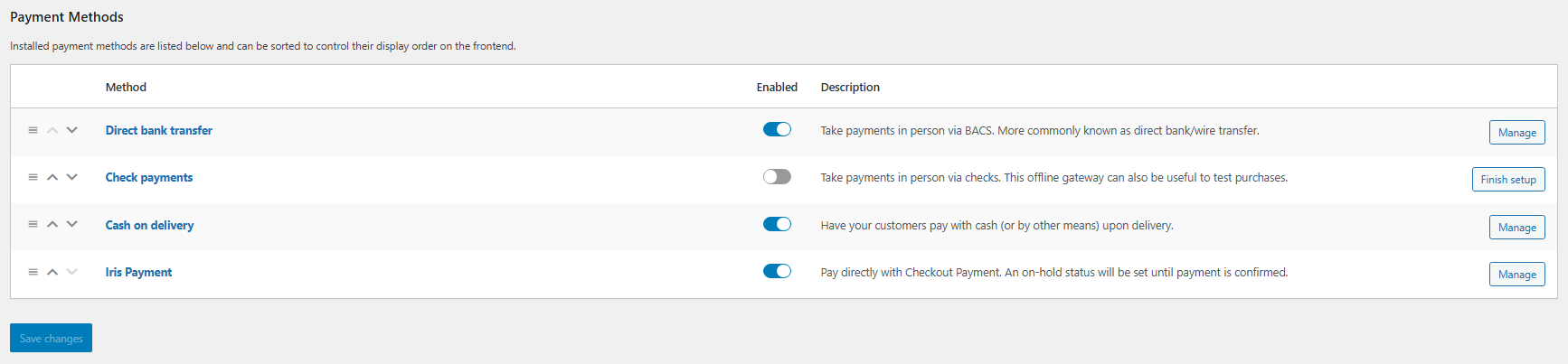
WooCommerce Payment Methods settings page showing four payment options: Direct bank transfer, Check payments, Cash on delivery, and Iris Payment, with toggle switches indicating all are enabled except Check payments, and Manage/Finish setup buttons on the right.
Goto woocommerce settings: WooCommerce payment methods list with IRIS enabled.
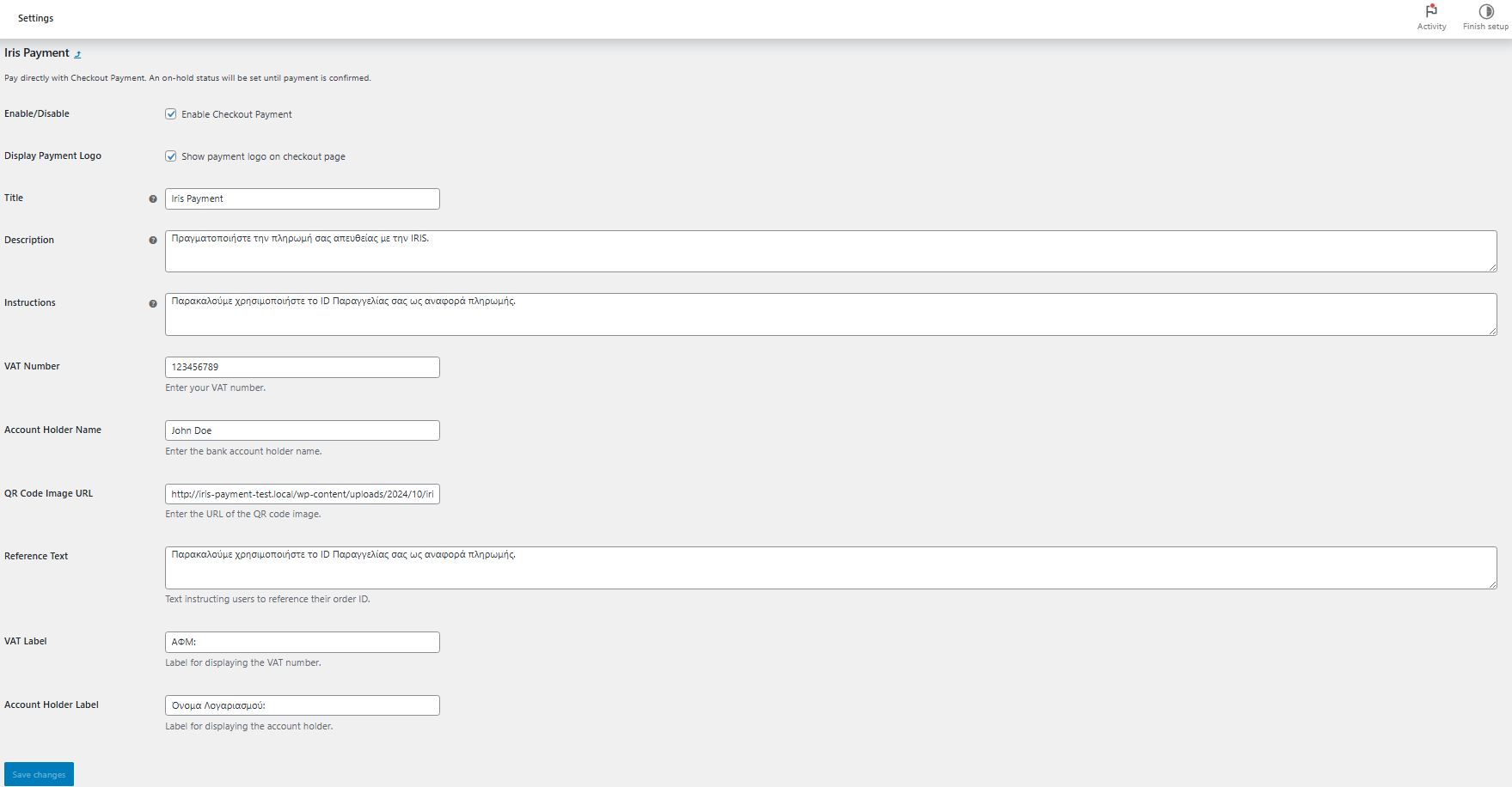
WordPress WooCommerce settings page for Iris Payment gateway configuration, showing form fields for enabling the payment method, payment logo display, title, description, instructions, VAT number, account holder name, QR code image URL, reference text, and customizable labels in Greek.
Click Manage: IRIS gateway settings page with customization options.
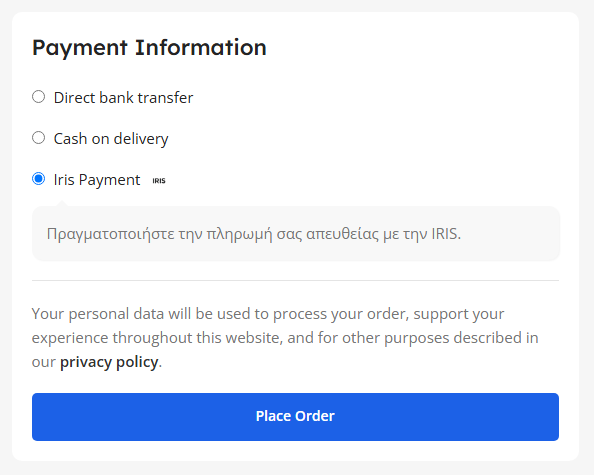
Payment Information checkout form showing three payment options: Direct bank transfer, Cash on delivery, and Iris Payment (currently selected). Below is a Greek instruction for IRIS payment, a privacy policy notice, and a blue "Place Order" button.
IRIS payment method shown at checkout.
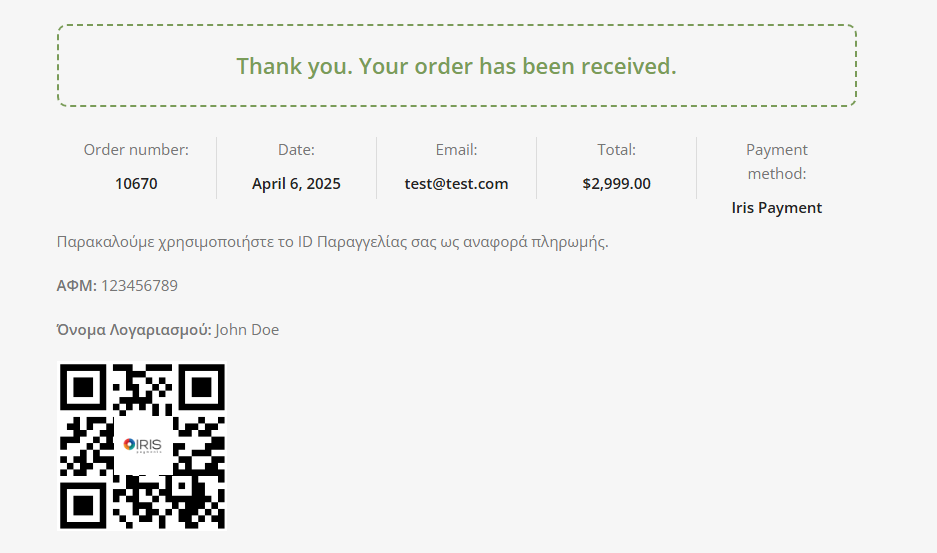
Order confirmation page showing order number 10670, dated April 6, 2025, for $2,999.00 with email test@test.com, payment via Iris Payment, Greek tax ID (ΑΦΜ) 123456789, account name John Doe, and an IRIS payment QR code.
Order confirmation page with QR code and payment instructions.