

how to export woocommerce products on csv file
To export WooCommerce products, you can use the built-in exporter for a simple CSV file.
Built-in WooCommerce Exporter (CSV only)
This is the standard, no-plugin-required method for exporting your products into a CSV (Comma Separated Values) file.
Navigate to Products: Log in to your WordPress dashboard and go to Products > All Products.
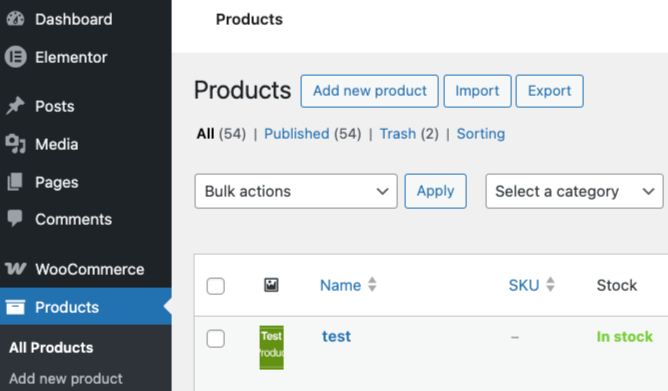
Click Export: Locate and click the Export button at the top of the page.
Configure Export Options:Which columns? Choose “Export all columns” or select specific ones.
Which product types? Choose to export all or specific types (e.g., simple, variable).
Which categories? Select all or filter by specific product categories.
Export custom meta? Check this box if you need data from other plugins (e.g., SEO data or custom fields).
Generate CSV: Click the Generate CSV button. The system will compile the data and automatically start a download to your computer.

